Kremi · Ongoing systems partnership
The operations panel a growing store runs on
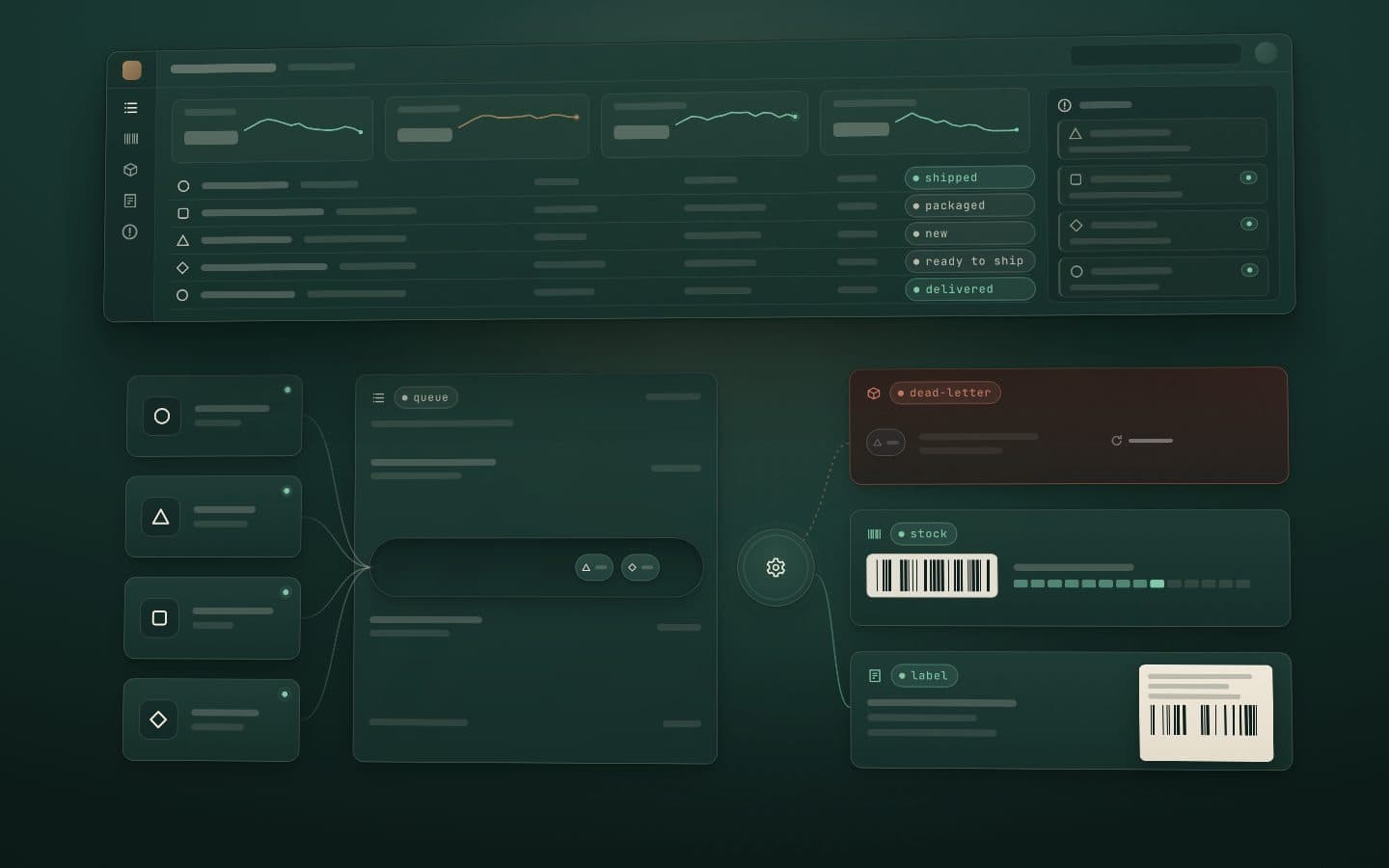
Long-running development partnership with Kremi: an operations dashboard for orders, stock, barcodes and shipping, growing feature by feature.
Problem
Marketplace admin panels stop being enough once volume grows. The team needed one internal tool for orders, stock counts, barcode flows and shipping labels, shaped around how they actually work.
Constraint
The panel talks to payment and marketplace APIs, so no credential could ever reach the browser. And it could not stand still: new needs land every month while the old ones keep running.
Approach
Every API call goes through a server-side proxy, so keys stay on the server. Features ship in small increments on a stable component system, and each month's work builds on the last instead of rewriting it.
Result
A dashboard the operations team uses daily, with every API call proxied on the server and no secrets in the browser. The partnership continues: consulting on what to build next, then building it.
How the systems work
These systems are internal, so there are no real screens, data or figures here. Each one is drawn as an abstract scene that moves as you scroll: what we aimed for, what we built and how it turned out.
Keys never in the browser01 / 04
Abstract scene: a browser frame and unlabeled API shapes sit on either side of a dashed server boundary with a proxy on it. Requests pass through the proxy; the key stays on the server and a struck-out key marks the browser. Panel tiles are added one by one on a fixed grid, and a critical alert lands in the alert rail.
01 / 04
Operations panel and alerts
What we aimed for
The team's daily work with orders, stock counts, barcodes and labels needed one place of its own, and the tool holding the keys to payment and marketplace APIs had to keep every key out of the browser.
What we built
- Every call from the panel to a third-party API passes through a server-side proxy; the browser never holds a key.
- New features arrive in small increments on one stable component system, so each month builds on the one before.
- When the order pipeline fails, the failure shows up in the panel as an alert someone can act on.
Outcome
Pipeline failures reach the team as alerts in the panel, and new screens keep landing on the same component system month after month.
Consent first, then send02 / 04
Abstract scene: a skeleton template mirrors into a live preview. Recipient shapes reach a consent gate: the circles pass, and the square without consent is held back. A daily cap meter fills to its marker, so one shape is held back by the cap. Sent messages get signing seals, and one recipient is struck out as unsubscribed.
02 / 04
Email notifications
What we aimed for
Marketing email should reach only customers who agreed to it, and the team should be able to change a message without asking a developer.
What we built
- Email templates are edited in the operations panel with a live preview.
- Every review request checks marketing consent at the moment of sending, offers one-click unsubscribe and respects a daily cap.
- Signing and sending set-up (DKIM, DMARC, an EU-region sending service) supports deliverability.
Outcome
Review requests reach only people who agreed, inside a daily cap, and the team edits the wording itself.
Moved in-house, still moving03 / 04
Abstract scene: a skeleton review card fills its stars, waits as pending in the moderation panel, turns approved and appears in the storefront and app frames. An invitation envelope then passes a consent gate and joins a daily cap meter.
03 / 04
An in-house review system
What we aimed for
The aim was to move product reviews from a third-party app onto Kremi's own infrastructure, keep Google star ratings and give the team moderation in the panel.
What we built
- Reviews and star ratings on the storefront and in the app.
- Moderation from the operations panel.
- Consent-aware review invitations with a daily cap.
Outcome
Reviews and star ratings show on the storefront and in the app, with moderation from the panel. The move is still under way.
Orders, in your pocket04 / 04
Abstract scene: a phone outline holds an order list with new, shipped and delivered badges. One row opens into a detail card with reorder and rate actions, a bell rings, a notification drops in from the top, and two platform outlines show one app in both stores.
04 / 04
App orders and notifications
What we aimed for
People using the Kremi app should see their orders clearly and hear about them on their phone, on both iOS and Android.
What we built
- Redesigned order list and order detail screens in the Flutter app, with reorder and rate actions.
- Push notifications, so order updates reach the phone.
- Store releases for iOS and Android from one codebase.
Outcome
Orders, reorder and rating are part of the app, and releases go to both stores.
Main systems
Beyond the operations panel and the scenes above, the partnership has produced the systems below, built end to end across the storefront, the panel, the backend services and the app. Shipping labels and returns before dispatch are also drawn as scenes on the order pipeline case.
Shipping and warehouse operations
- Carrier integration
- Barcode labels
- Concurrency tests
A carrier integration with single and bulk barcode and label printing for the warehouse. When one order is open on several screens at once, safeguards prevent a double shipment or the wrong label, and each of these cases is covered by a test. Shipping labels are deleted after a set period.
Cancellations and returns before dispatch
- Shopify Admin API
- Real-time alerts
When Shopify reports a cancellation or refund request, the warehouse gets an instant audible alert and the order is locked so the parcel cannot leave by mistake. A refund queue and a summary for managers follow. It is being rolled out in stages.
KVKK privacy and data minimization
- Consent management
- Data masking
Privacy built in to meet KVKK, Turkey's data protection law: a cookie consent where rejecting weighs the same as accepting, no data sent to the marketing tracker without consent, and personal data masked in logs and automated messaging flows. Customer deletion requests are processed end to end, with an audit pack for the legal team.
Dependency security
- Dependency audit
- Automated checks
Dependencies kept clear of known critical and high-severity issues, with an automated security check on every change so new ones are flagged early.
One commerce backbone
Kremi's website, app and order systems work as one. Shopify sits in the middle: products, prices, stock and campaigns are set there once and reach both the website and the app, and every order, whichever channel it comes from, flows into the same order pipeline.
One store behind the website and the app
The website and the app run on one Shopify store, so products, prices, stock, translations and product details come from the same records. Homepage edits made in Shopify's theme editor reach the app's home screen without a new app release, and the app's menu, FAQ and legal pages come from Shopify too.
App orders are Shopify orders
Checkout in the app opens Shopify's own checkout, so an app order lands in the Shopify admin next to website orders and follows the same payment, notification and fulfillment rules. Every order keeps its sales channel, so app and website sales can still be reported separately.
Campaigns set once, in Shopify
Shopify works out the cart total and discounts, so the app shows the same total as the website. Discount codes, automatic discounts and gift-with-purchase campaigns set up in Shopify apply in the app with no extra development and no new app release. Product launches can open early for app users, with the date kept on the product in Shopify.
More on how it fits together (4)
One customer account
The website and the app share one Shopify customer account, with passwordless sign-in by email code. Saved addresses and favorites are the same on both, and the app's order history comes from that same account.
One order pipeline for every channel
Website, app and marketplace orders flow into one order pipeline, so an app order needs no process of its own. One physical stock is shared out across the sales channels, the website and the app sell from the same Shopify stock, and Shopify test orders never get a real shipping label.
Email
Order and shipping emails stay with Shopify: the shipping email goes out when tracking from the warehouse label flow is written back to the order in Shopify. Kremi's own review-request email goes only to customers with email-marketing consent in Shopify, checked at the moment of sending, and unsubscribing turns that consent off in Shopify too. Newsletter sign-ups from the app count only after the confirmation link in the email is clicked.
Push notifications, and no separate SMS
No separate SMS channel was built: shipping updates reach customers by Shopify email and, in the app, by push notification. Packed and shipped updates arrive once per order, and a notification opens the exact product, collection, order, cart or community post it is about.
Need something like this?
Send two or three lines: what you have, what is broken or missing, and when you need it. I reply within 12 hours, Monday to Saturday.