Kremi · Mobile e-commerce + video feed
Making a video feed scroll smoothly on a phone
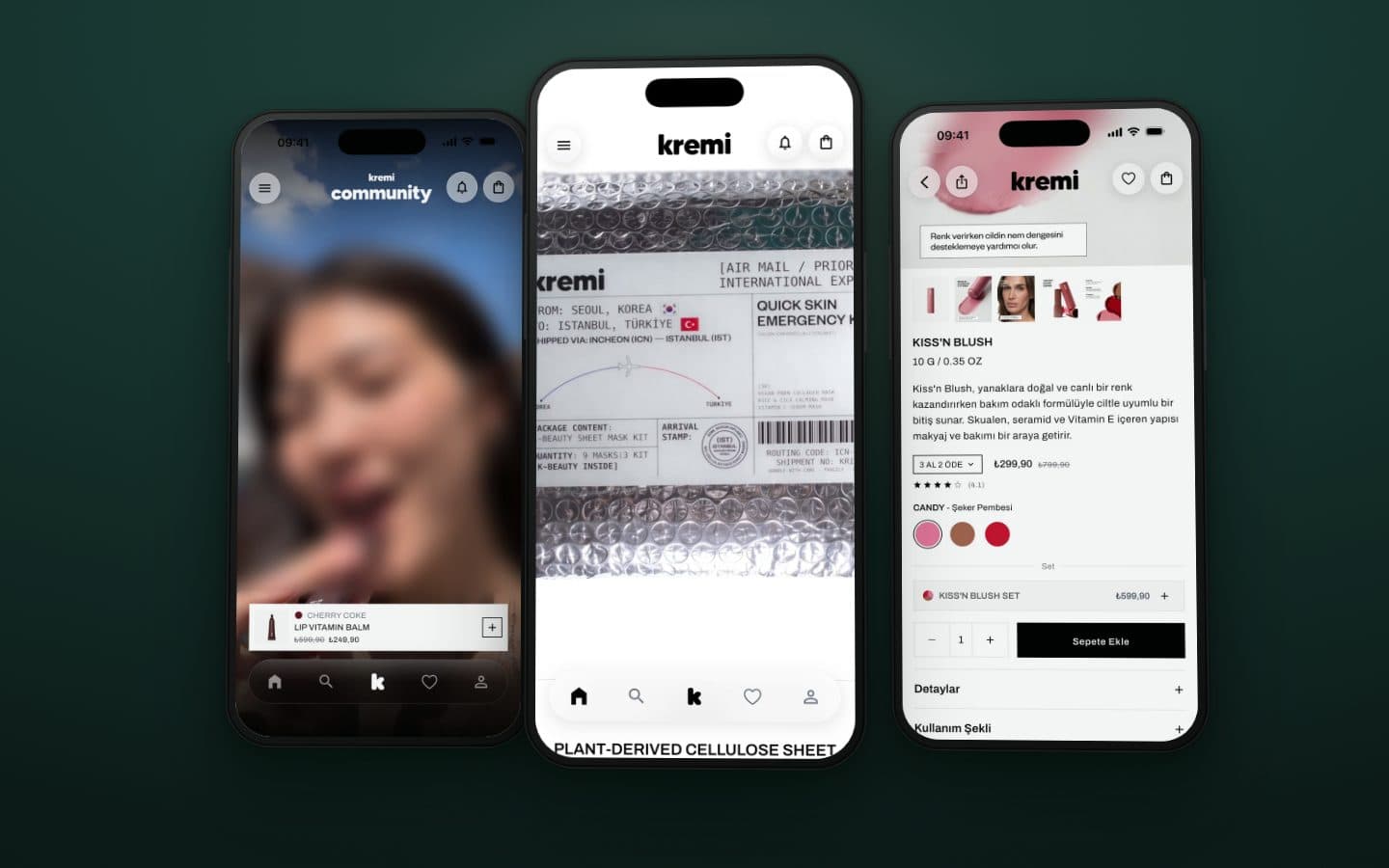
Three data sources (a storefront, a backend and a video feed) combined into one app that stays smooth while scrolling.
Problem
Kremi's shopping app: catalog on Shopify, user content on Firebase, promotion through a Reels-style vertical video feed. In fast scrolling, if playback, visibility detection and disk cache don't cooperate, memory climbs and playback stutters.
Constraint
Video caching was, by default, a transitive dependency of another package: behavior you inherit rather than control.
Approach
I built the architecture on Riverpod, go_router and Freezed, split into independent feature modules. I promoted cache management from a transitive dependency to an explicit one. App logs flow into Crashlytics through a custom sink, so a crash report arrives with the events that led to it. A remote config loader drives a forced-update screen for releases that must not stay in the wild.
Result
Caching is now a decision the app makes rather than one it inherits, and the feed stays smooth in fast scrolling. The app is live on the App Store and Google Play, and still in active maintenance.
Inside the app
Screens from the app on an iPhone, captured signed out and in Turkish, as Kremi's customers see it. Creators' faces in the community video are blurred, here and in the clip above. Scroll, and each one zooms in on the part the text describes.
Kremi app01 / 07
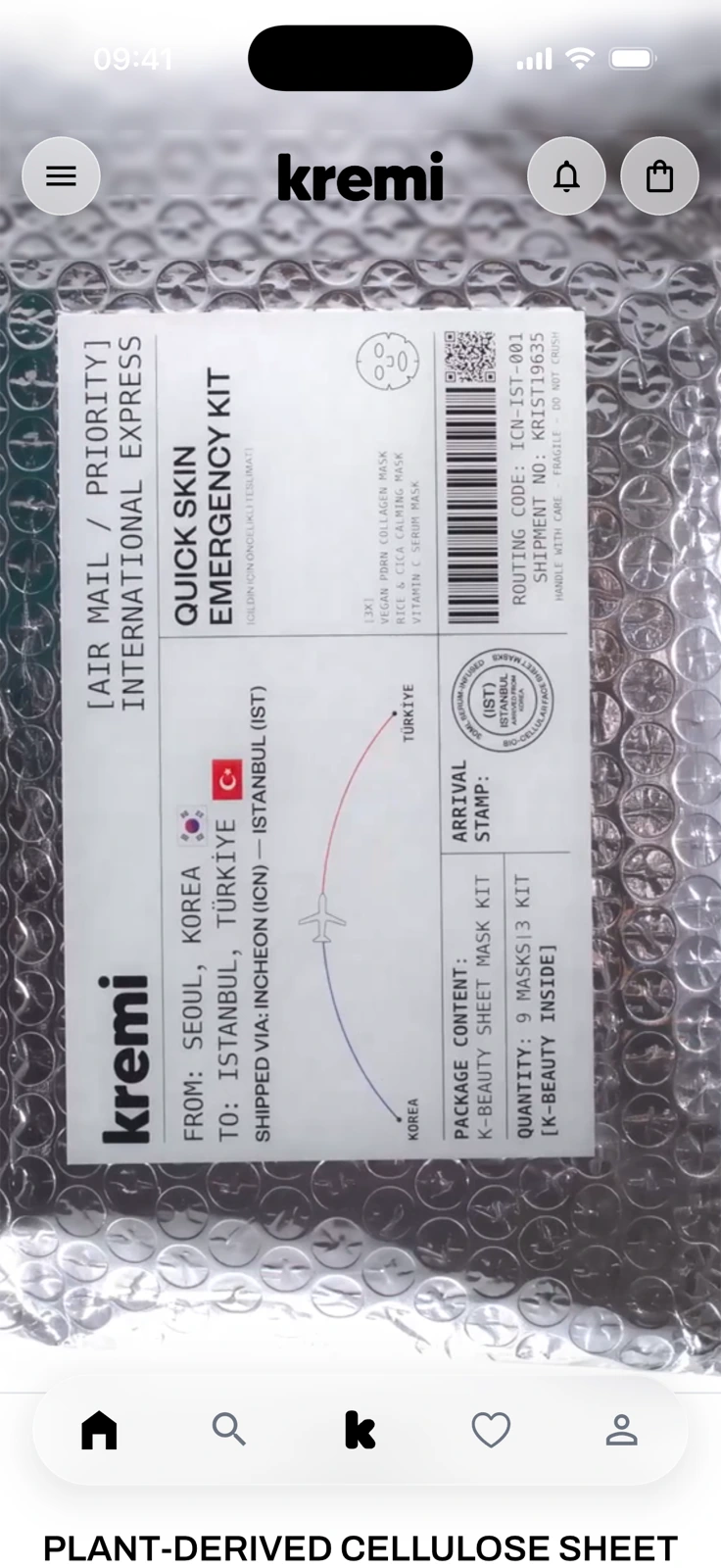
The Kremi app home screen: a full-height brand video showing a sheet-mask kit in bubble wrap under the kremi header, with menu, bell and bag buttons, and a five-icon tab bar at the bottom.
01 / 07
A video-first home screen
The home screen opens on a full-height brand video under the Kremi header, with the menu, notifications and bag at the top and a floating tab bar at the bottom.
Kremi app02 / 07
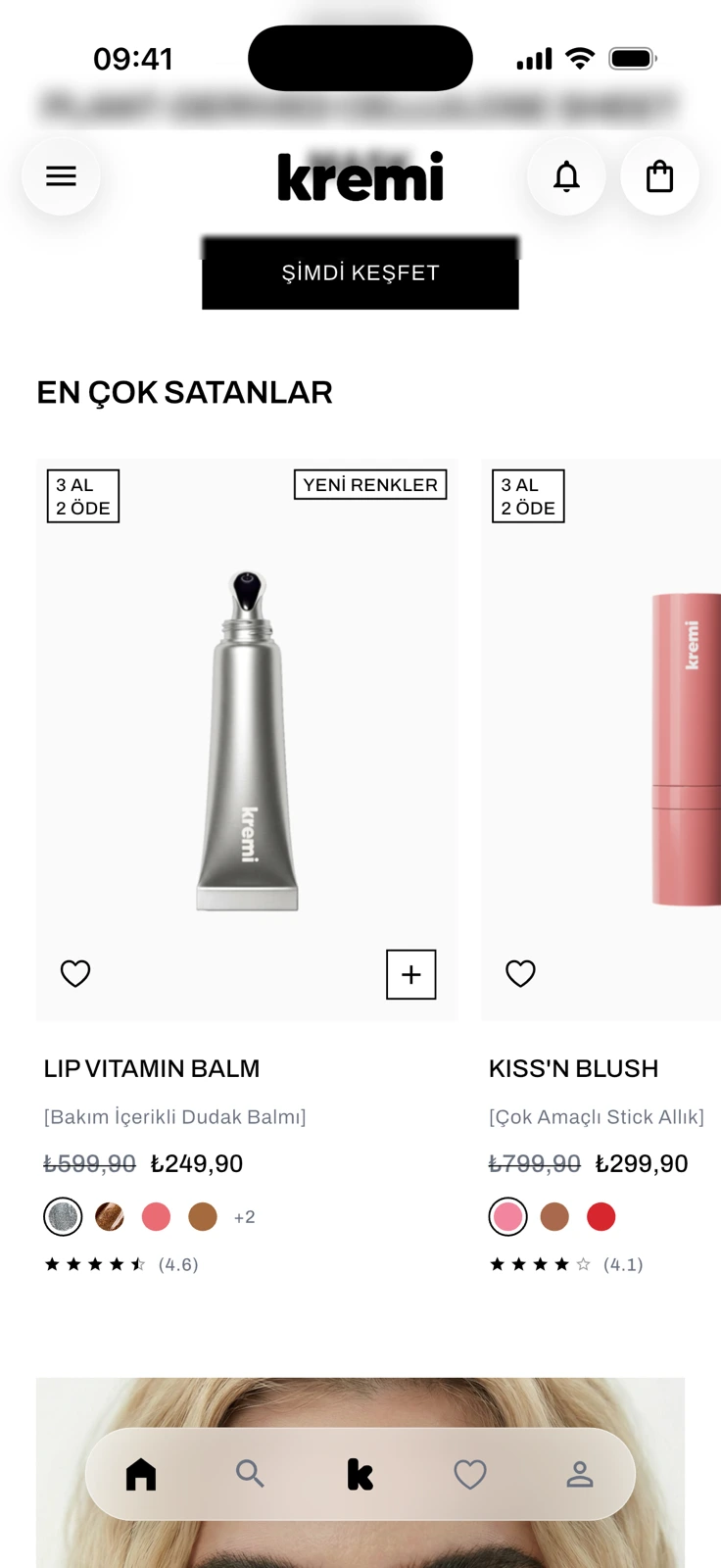
The EN ÇOK SATANLAR (best sellers) row on the home screen: Lip Vitamin Balm and Kiss'n Blush cards with 3 AL 2 ÖDE (buy 3, pay 2) and YENİ RENKLER (new shades) badges, struck-through and current prices, color dots, star ratings, and heart and plus buttons.
02 / 07
Best sellers with campaign prices
A swipeable best-sellers row shows each product with its campaign badge, old and new price, shade dots and rating, plus favorite and quick-add buttons.
Kremi app03 / 07
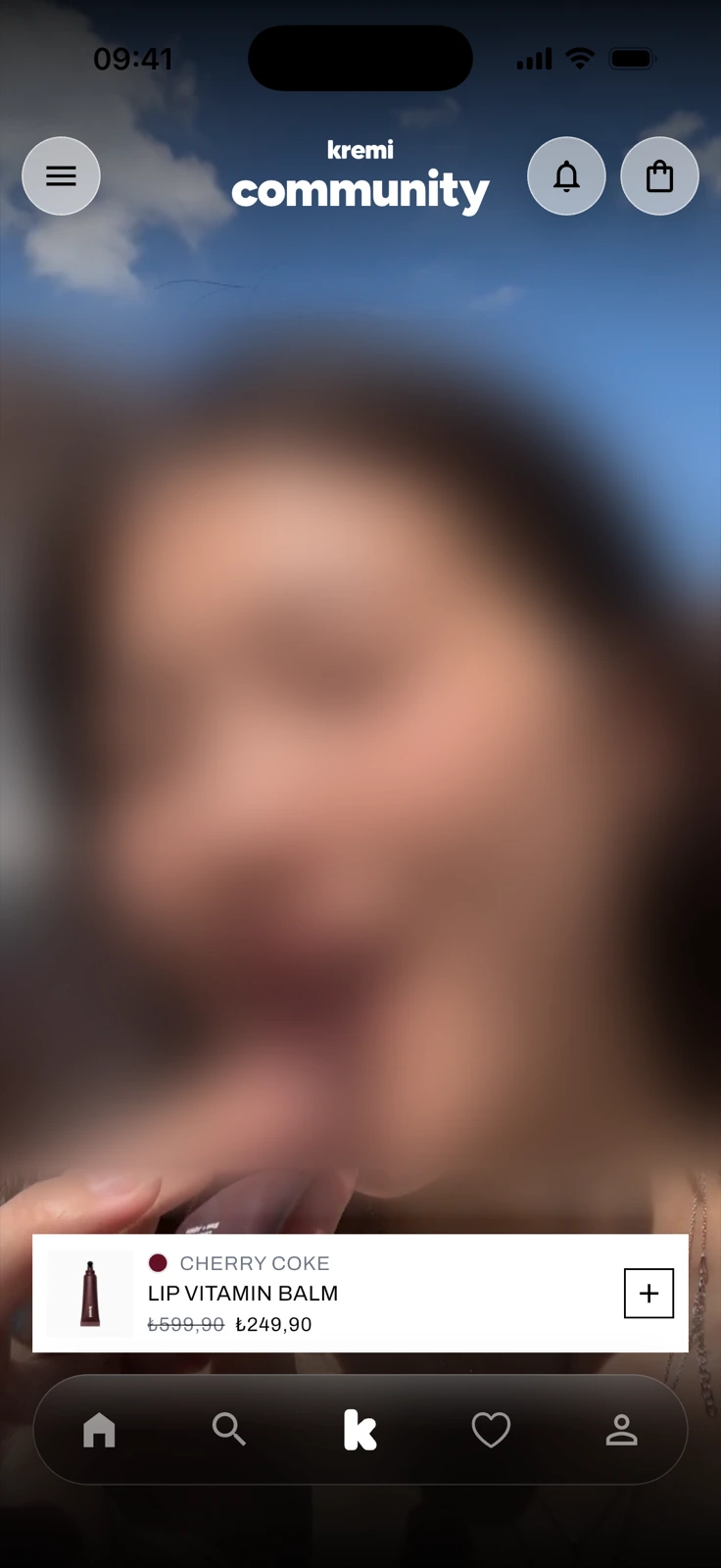
The community tab: a full-screen portrait video, deliberately blurred here, under a kremi community header, with a card for Lip Vitamin Balm in the shade Cherry Coke, its old and new price and a plus button, above the tab bar.
03 / 07
Community clips, Reels-style
The k tab is a full-screen vertical video feed, and each clip carries a card for the product in it, with its shade and price. The creator's face is blurred here.
Kremi app04 / 07
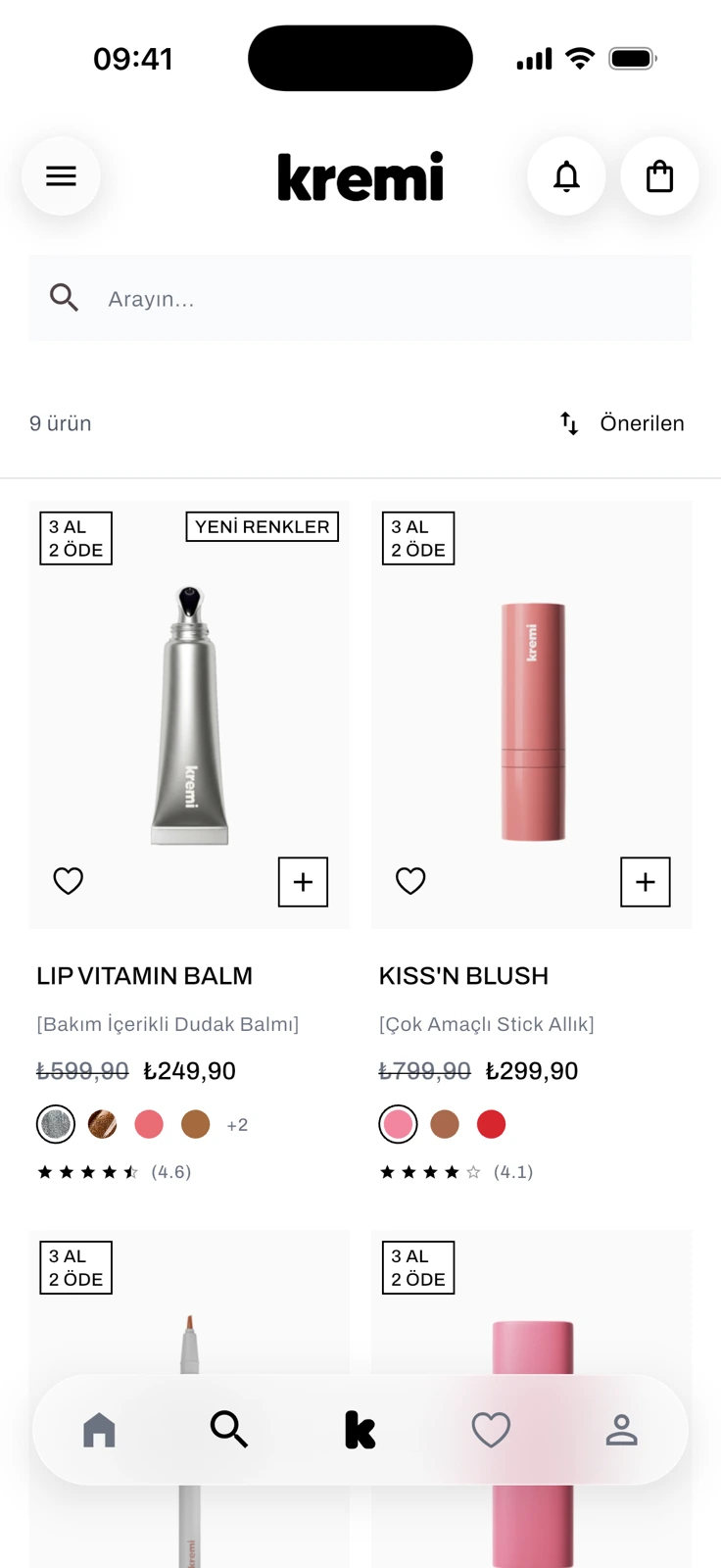
The MAKYAJ (Makeup) collection: a search field, a product count with an Önerilen (Recommended) sort, and product cards for Lip Vitamin Balm and Kiss'n Blush with badges, prices, color dots and ratings.
04 / 07
Collections open as product grids
Picking Makeup from the side menu opens the collection as a grid, with a search field, sorting, campaign badges, prices, shade dots and ratings.
Kremi app05 / 07
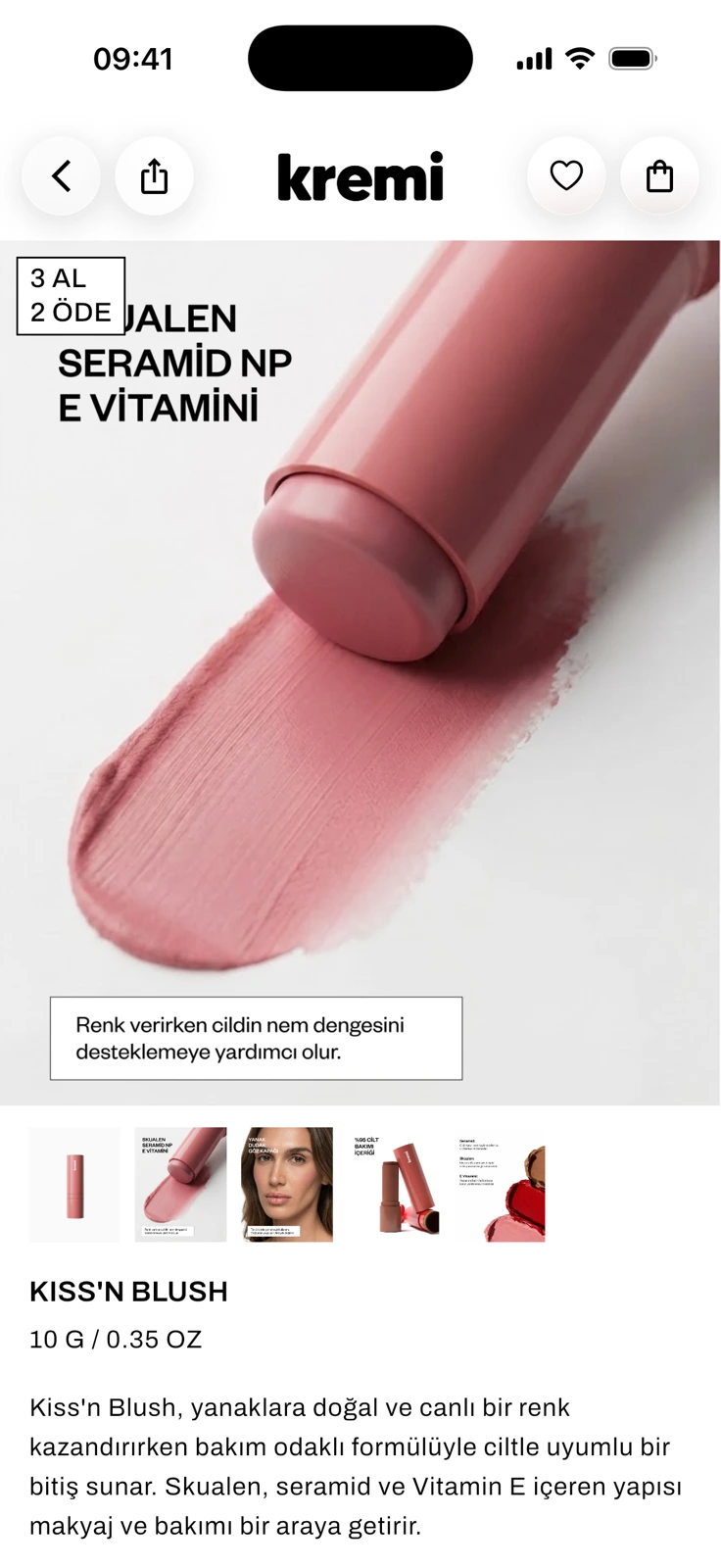
The Kiss'n Blush product page: a large gallery photo of a pink blush stick with a Turkish ingredient callout and a 3 AL 2 ÖDE badge, a row of thumbnails, then the product name, size and description.
05 / 07
Gallery with ingredient callouts
The product page opens on a swipeable photo gallery with a thumbnail strip; this photo calls out squalane, ceramide NP and vitamin E.
Kremi app06 / 07
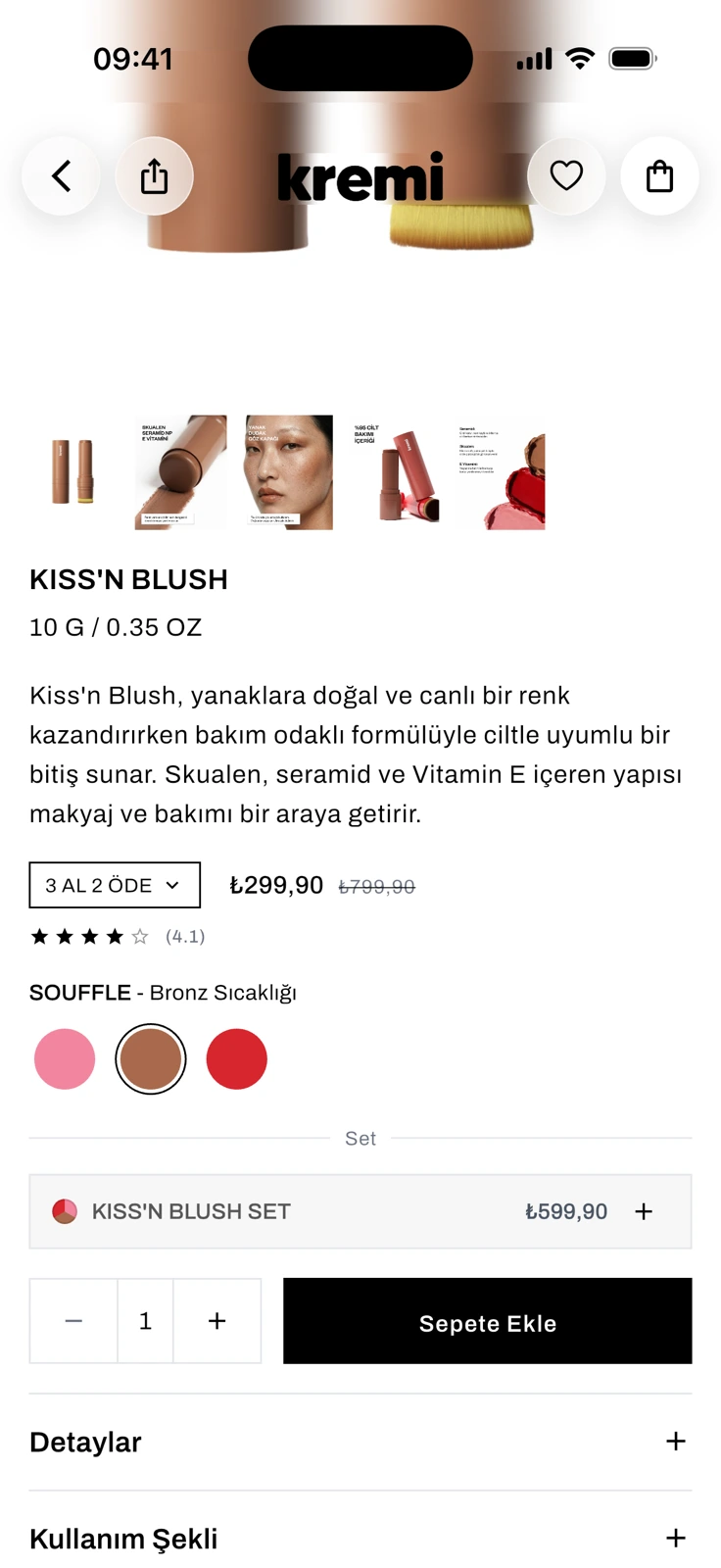
The Kiss'n Blush product page with the bronze Souffle swatch selected: bronze product thumbnails, the description, a 3 AL 2 ÖDE dropdown, price, star rating, three swatches, a Kiss'n Blush Set row, a quantity stepper and a black Sepete Ekle (Add to Cart) button.
06 / 07
Shade swatches update the gallery
Choosing Souffle swaps the gallery photos and the shade label, with the campaign picker, price, rating, set option and add-to-cart button right below.
Kremi app07 / 07
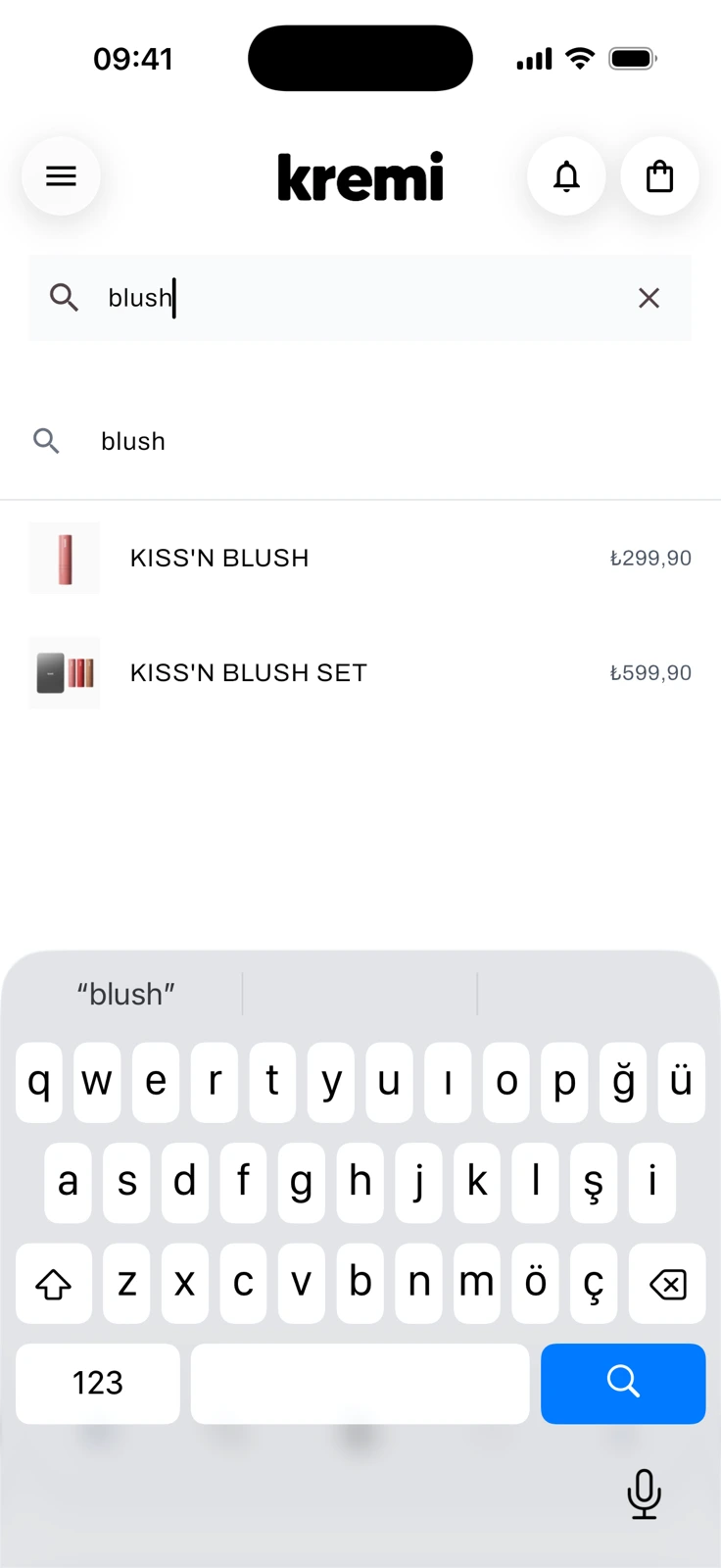
The search screen with “blush” typed: a suggestion row, then Kiss'n Blush and Kiss'n Blush Set with thumbnails and prices, above a Turkish keyboard.
07 / 07
Predictive search as you type
Typing “blush” lists matching products with their prices before the search is submitted.
One commerce backbone
Kremi's website, app and order systems work as one. Shopify sits in the middle: products, prices, stock and campaigns are set there once and reach both the website and the app, and every order, whichever channel it comes from, flows into the same order pipeline.
One store behind the website and the app
The website and the app run on one Shopify store, so products, prices, stock, translations and product details come from the same records. Homepage edits made in Shopify's theme editor reach the app's home screen without a new app release, and the app's menu, FAQ and legal pages come from Shopify too.
App orders are Shopify orders
Checkout in the app opens Shopify's own checkout, so an app order lands in the Shopify admin next to website orders and follows the same payment, notification and fulfillment rules. Every order keeps its sales channel, so app and website sales can still be reported separately.
Campaigns set once, in Shopify
Shopify works out the cart total and discounts, so the app shows the same total as the website. Discount codes, automatic discounts and gift-with-purchase campaigns set up in Shopify apply in the app with no extra development and no new app release. Product launches can open early for app users, with the date kept on the product in Shopify.
More on how it fits together (4)
One customer account
The website and the app share one Shopify customer account, with passwordless sign-in by email code. Saved addresses and favorites are the same on both, and the app's order history comes from that same account.
One order pipeline for every channel
Website, app and marketplace orders flow into one order pipeline, so an app order needs no process of its own. One physical stock is shared out across the sales channels, the website and the app sell from the same Shopify stock, and Shopify test orders never get a real shipping label.
Email
Order and shipping emails stay with Shopify: the shipping email goes out when tracking from the warehouse label flow is written back to the order in Shopify. Kremi's own review-request email goes only to customers with email-marketing consent in Shopify, checked at the moment of sending, and unsubscribing turns that consent off in Shopify too. Newsletter sign-ups from the app count only after the confirmation link in the email is clicked.
Push notifications, and no separate SMS
No separate SMS channel was built: shipping updates reach customers by Shopify email and, in the app, by push notification. Packed and shipped updates arrive once per order, and a notification opens the exact product, collection, order, cart or community post it is about.
Need something like this?
Send two or three lines: what you have, what is broken or missing, and when you need it. I reply within 12 hours, Monday to Saturday.