PromptLikeEngineer · Version-controlled prompt library
Giving prompts real version control, on Postgres
Version control for prompts: every save is a version you can diff and roll back from the terminal, the web or an agent, and each team's prompts are isolated by the database.
Problem
Developers lose their best prompts in Notion pages and Slack threads. A notes app wouldn't fix it: prompts change over time, the old version is sometimes better, and a team needs to review changes before they land.
Constraint
The need was version control, not note-taking, but it had to be built for a multi-tenant SaaS, not borrowed wholesale from Git.
Approach
I designed branches, revisions, pull requests, reviews and comments from scratch. The key decision: permission checks live in the database, not the application, enforced by 276 row-level security policies across 43 tables. The product reaches web, an npm CLI and an MCP server, all on the same API contract; a Chrome extension is built on that contract, with no database key inside it, and is not released yet. Billing runs on LemonSqueezy with idempotent webhook handling.
Result
A live product with three surfaces on one API: web, CLI and an MCP server. Isolation is enforced by the database, so a customer's prompts stay theirs even if the app layer is wrong.
How it works
Screens from PromptLikeEngineer's own site, from saving a prompt in the terminal to sharing it with a team. Scroll, and each one zooms in on the part the text describes.
- promptlikeengineer.com01 / 07
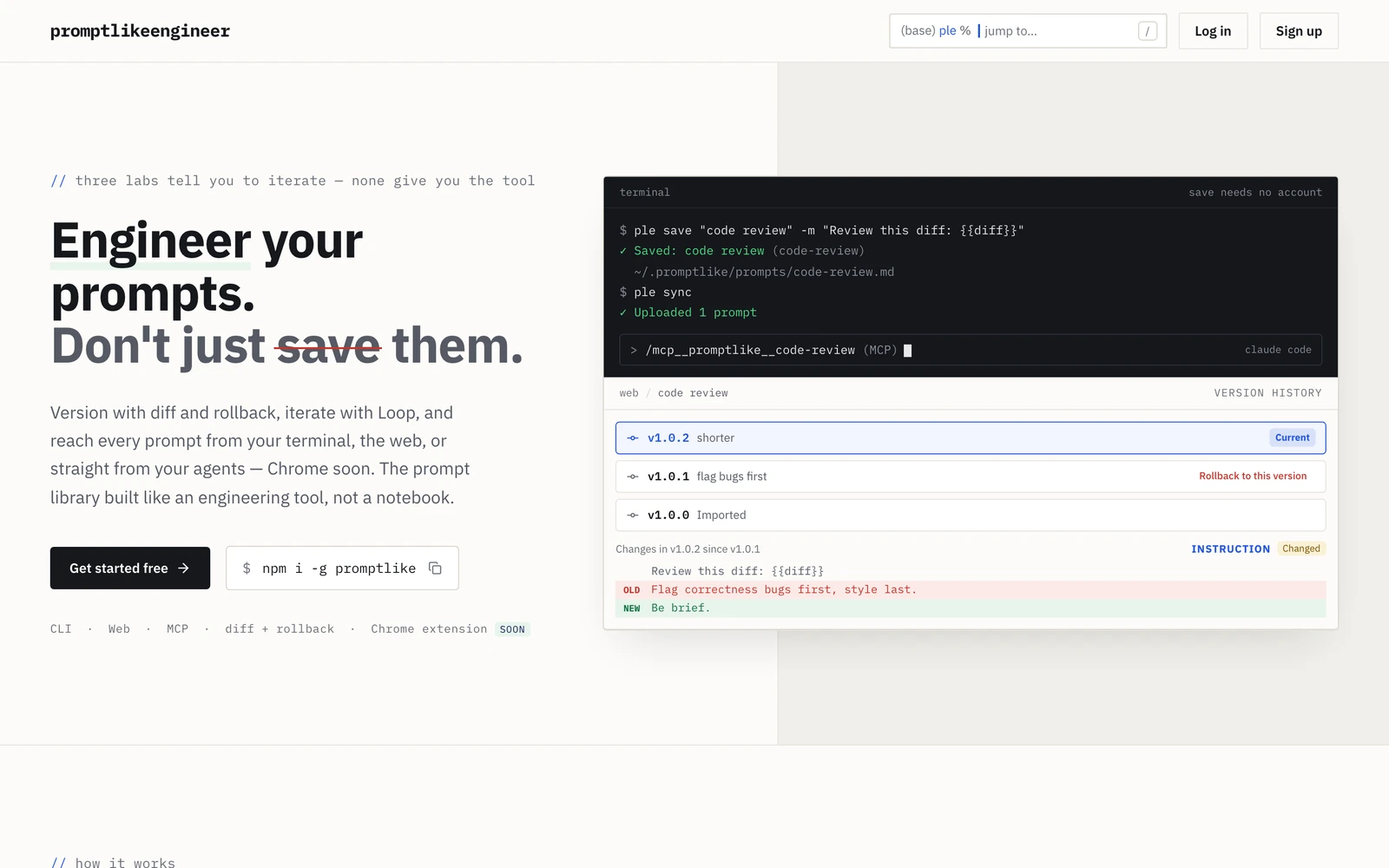
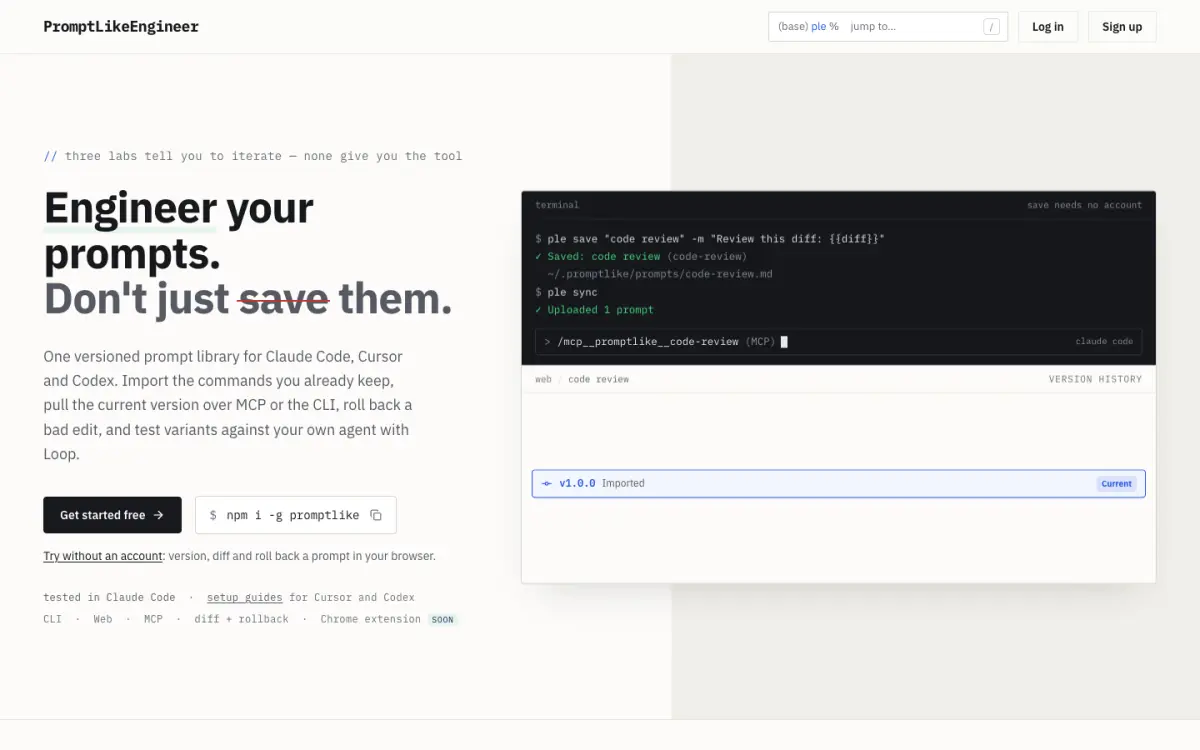
The PromptLikeEngineer home page: the headline Engineer your prompts, and a terminal above a version-history panel.
01 / 07
A prompt library with history
Prompts get versions, diffs and rollback, and the same library is reachable from the terminal, from agents and from the web.
- promptlikeengineer.com02 / 07
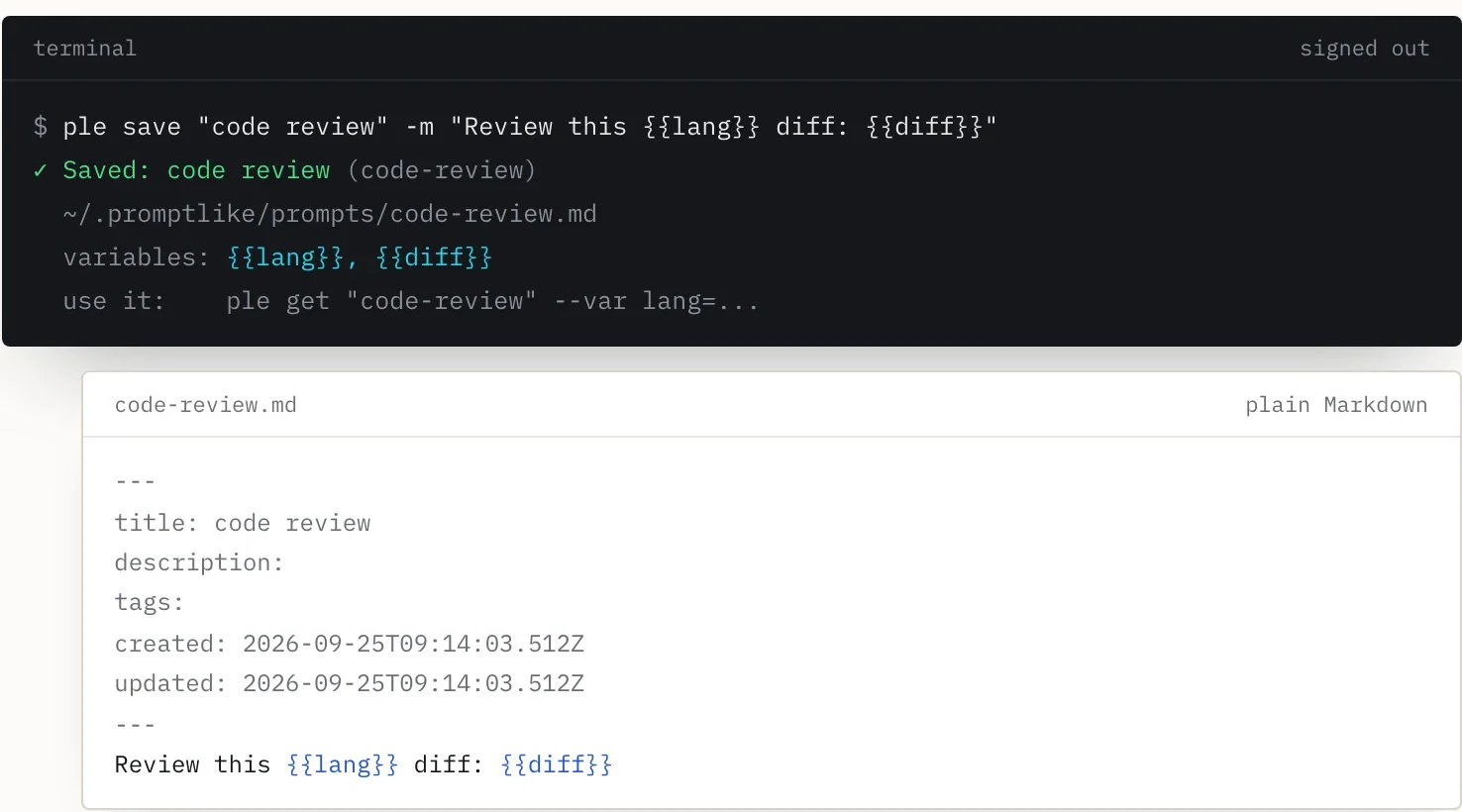
A terminal running ple save for a code review prompt, printing the saved file path and the variables lang and diff, above the Markdown file.
02 / 07
Save from the terminal
ple save stores a prompt as a plain Markdown file and detects its variables. Saving needs no account.
- promptlikeengineer.com03 / 07
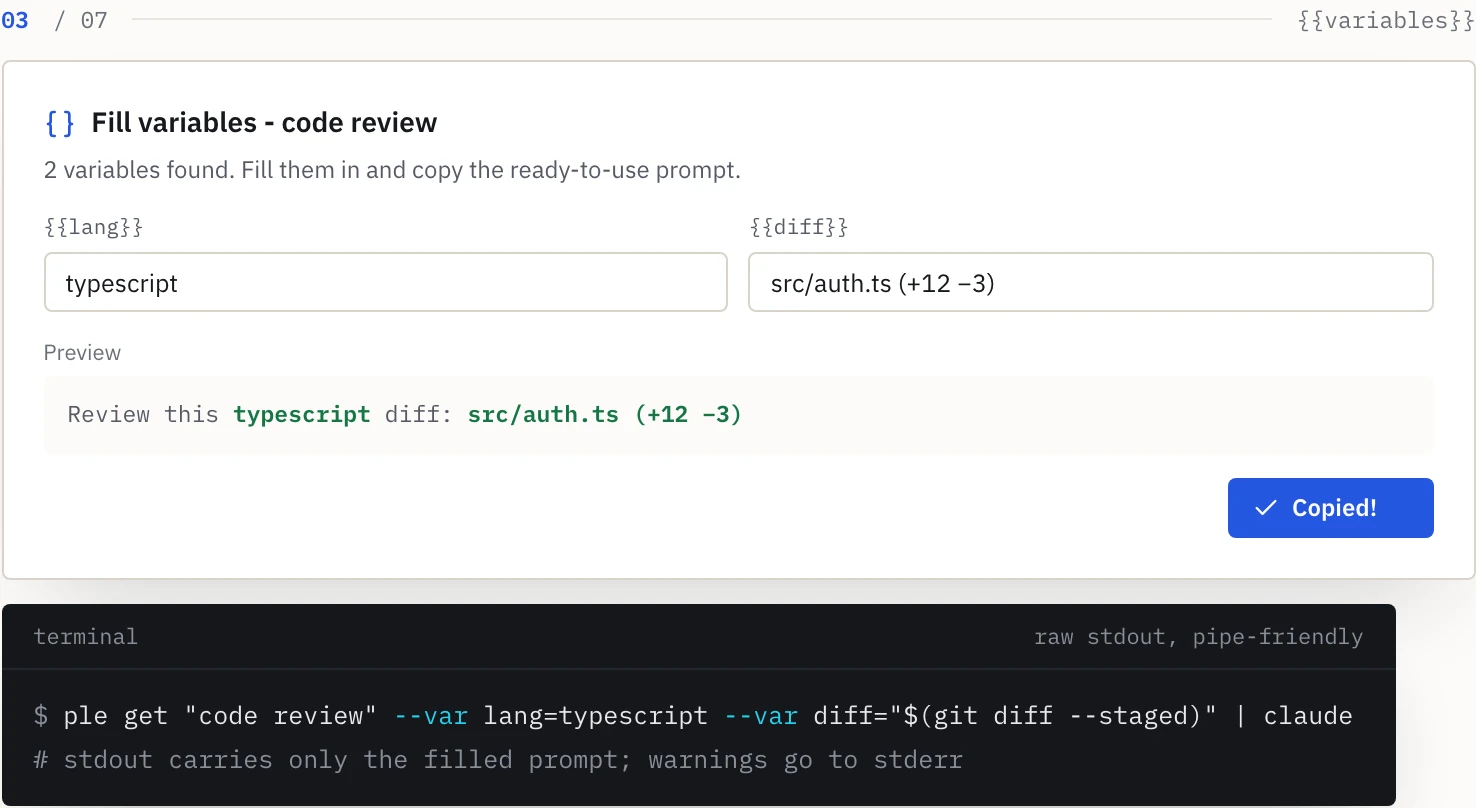
A Fill variables form with lang and diff fields and a preview of the filled prompt, above a terminal running ple get with --var flags.
03 / 07
Write once, fill per use
Variables become a form on the web, with a live preview and one-click copy. In the terminal, ple get with --var prints the filled prompt for your agent.
- promptlikeengineer.com04 / 07
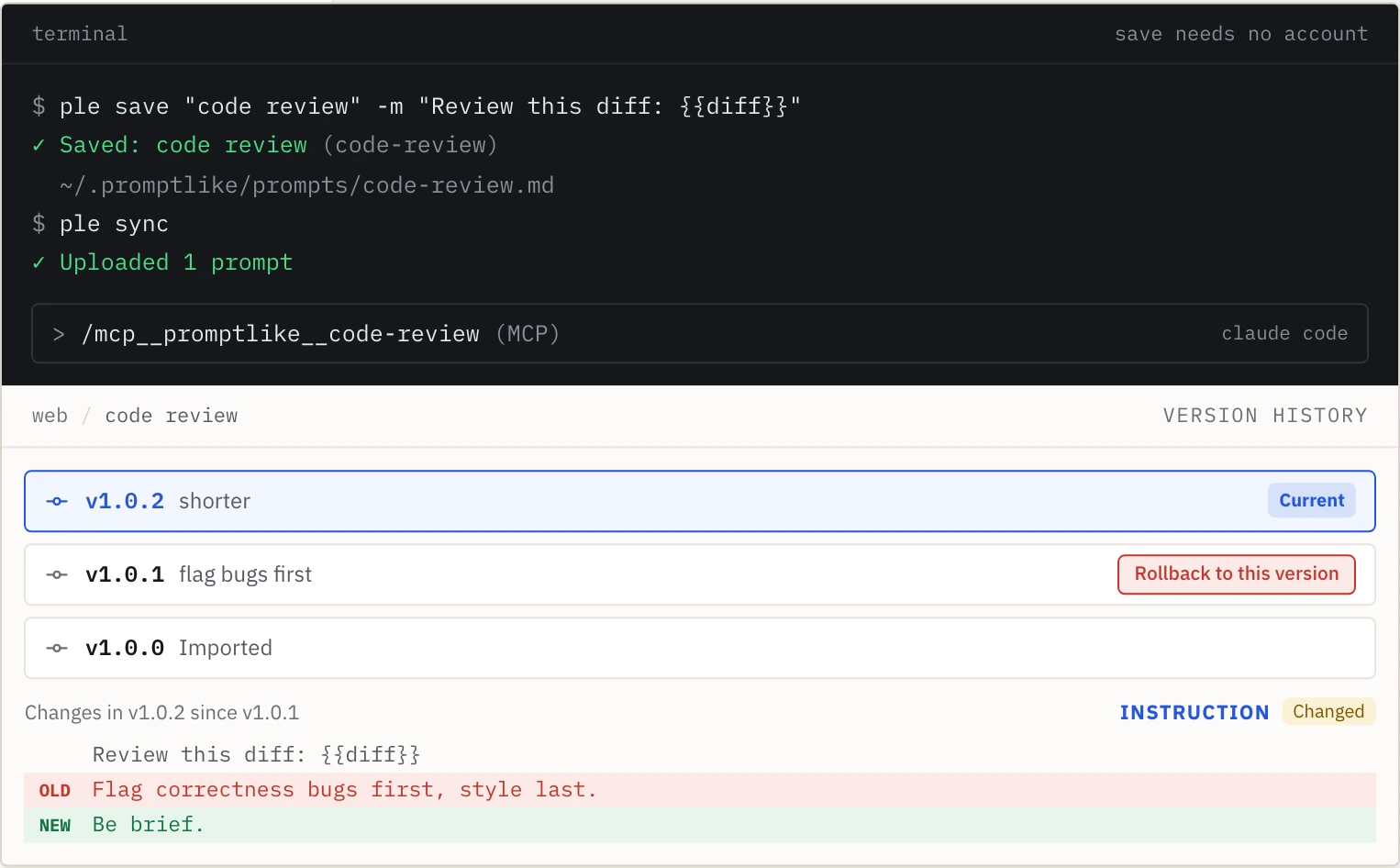
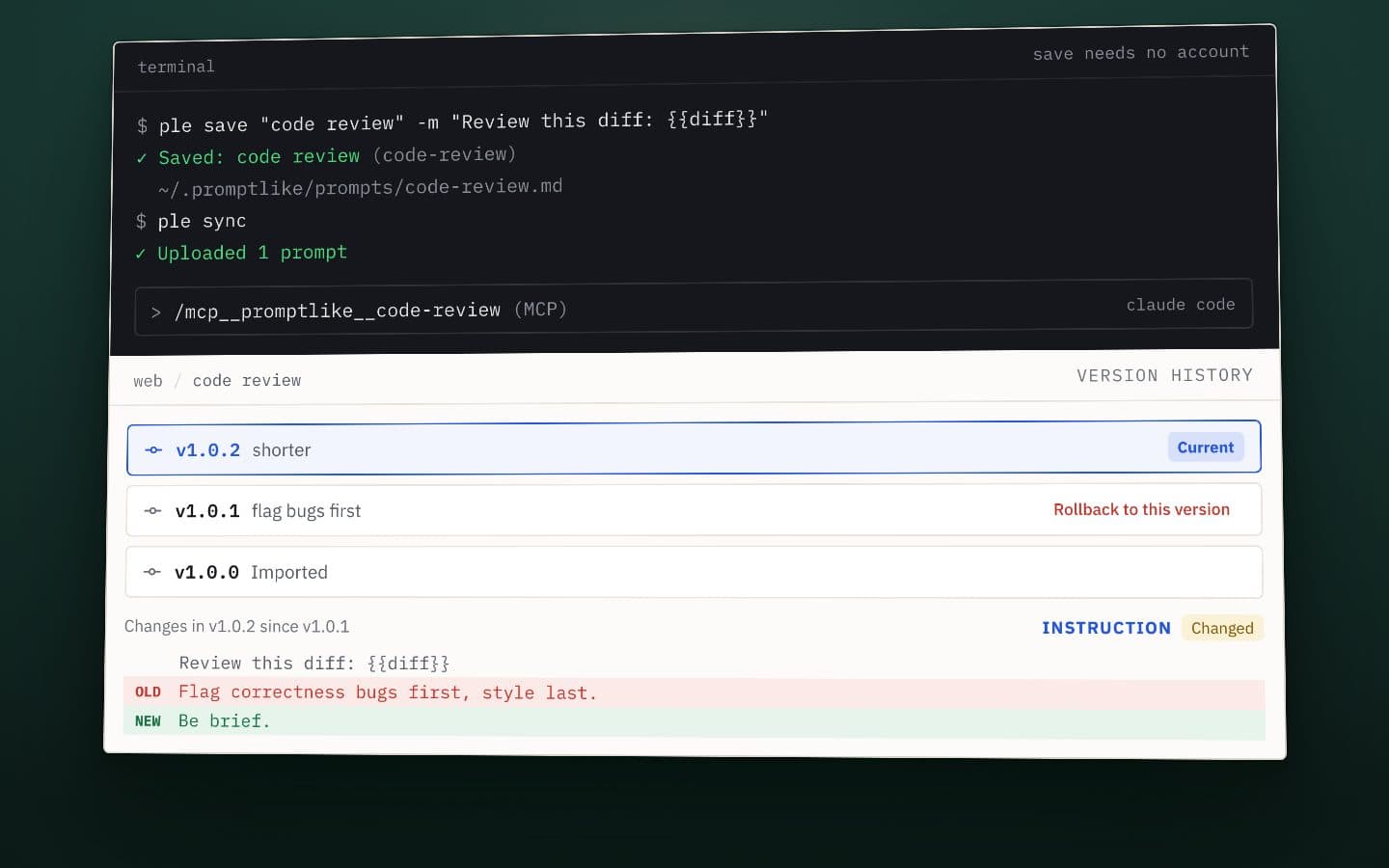
A version history with v1.0.2 marked Current, v1.0.1 with a Rollback to this version button and v1.0.0 Imported, above a diff of the changed instruction.
04 / 07
Every save is a version
Versions are numbered and diffed against the one before, with removed and added lines marked. Rolling back to an earlier one takes a click.
- promptlikeengineer.com05 / 07
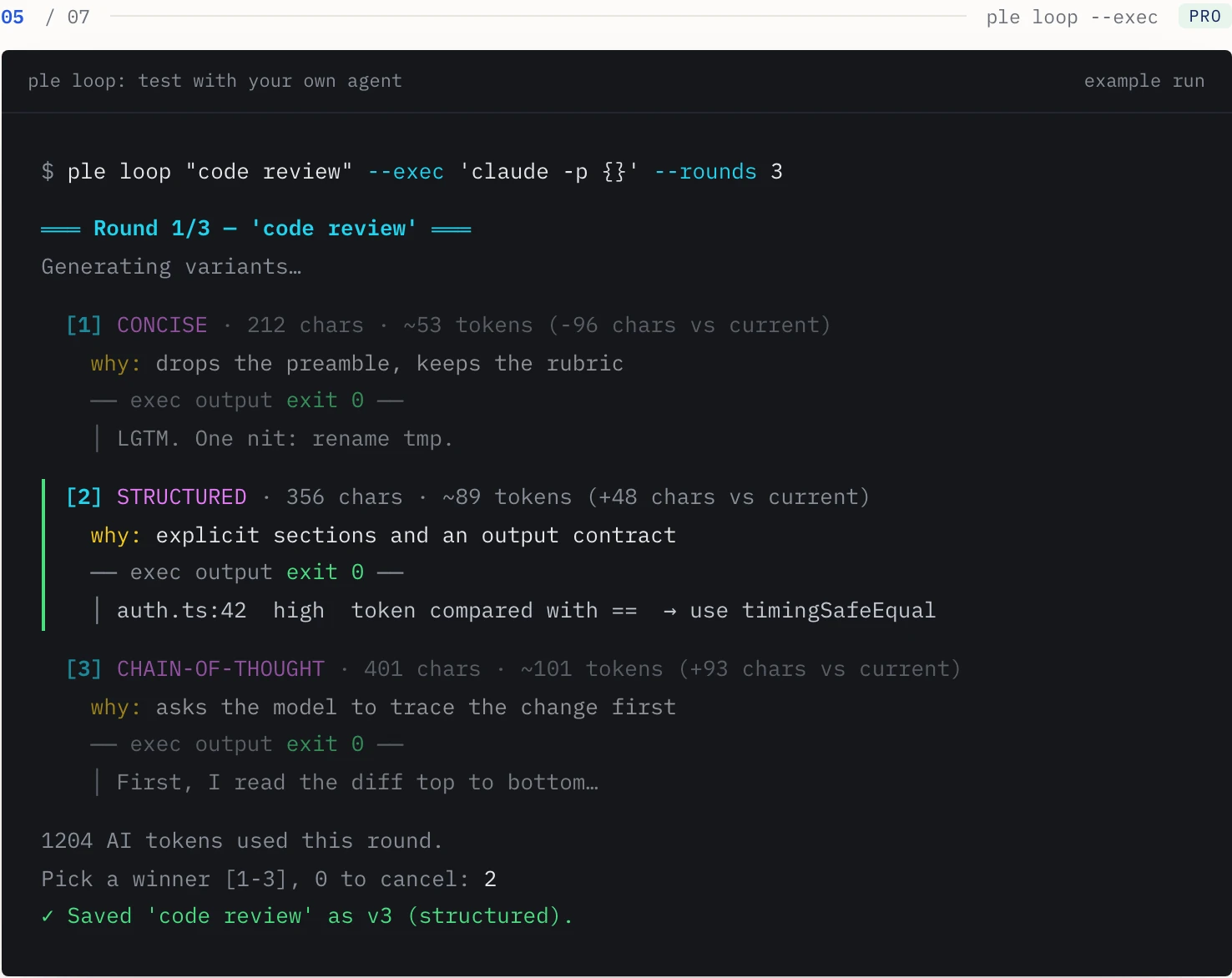
A terminal running ple loop with variants named concise, structured and chain-of-thought, each with a character and token count, ending with the structured variant saved as v3.
05 / 07
Test variants with Loop
On the Pro plan, ple loop runs prompt variants through your own agent and shows a token estimate for each. Pick a winner and it is saved as the next version.
- promptlikeengineer.com06 / 07
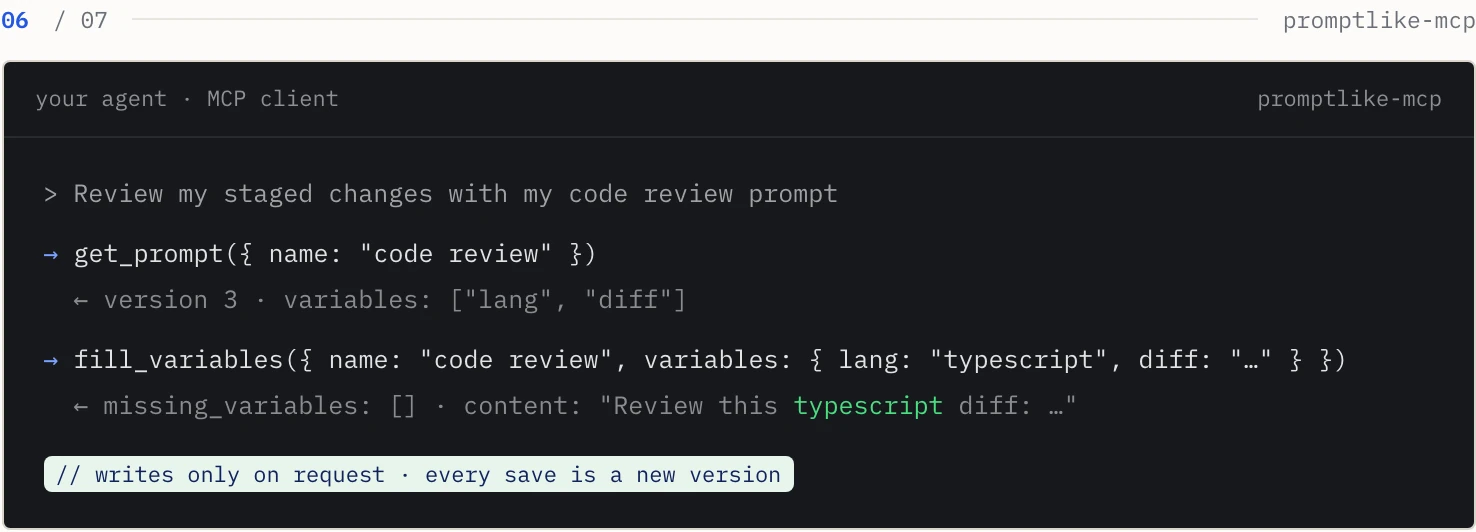
A terminal showing an agent calling get_prompt and fill_variables over MCP and receiving the filled content, with the note that it writes only on request.
06 / 07
Agents read it over MCP
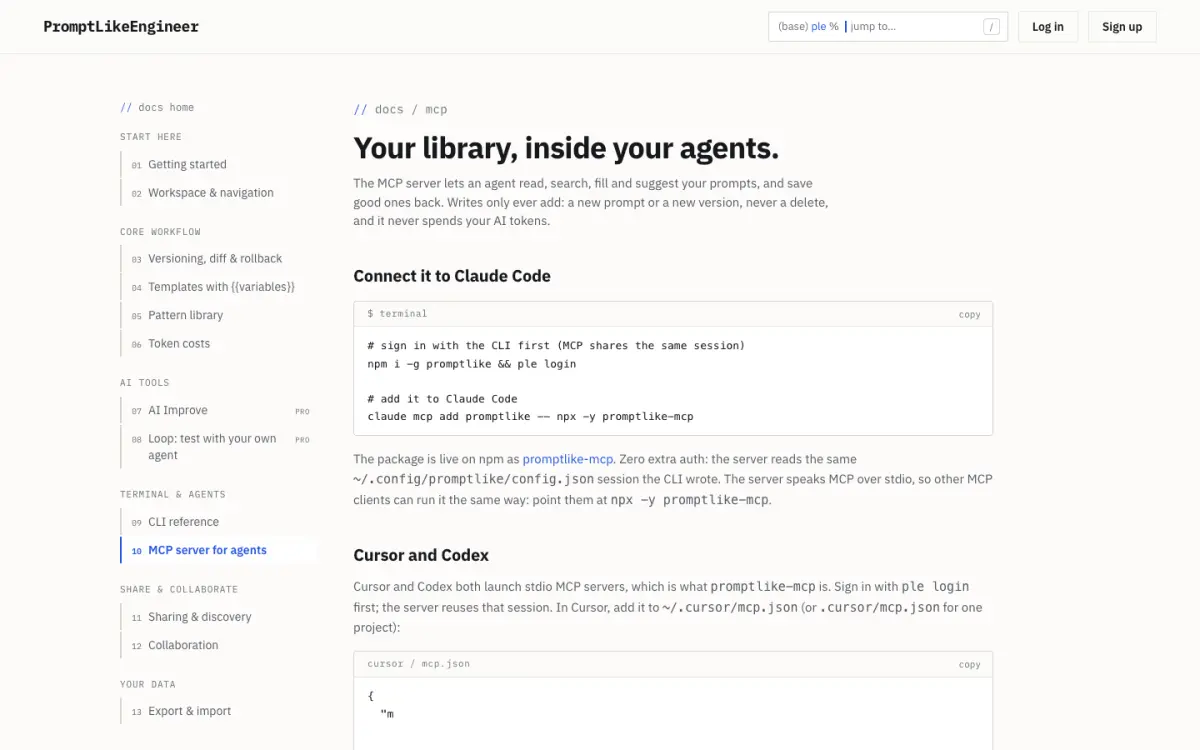
Over MCP an agent can list, search and fetch your prompts and fill their variables. Writes happen only on request, and every save is a new version.
- promptlikeengineer.com07 / 07
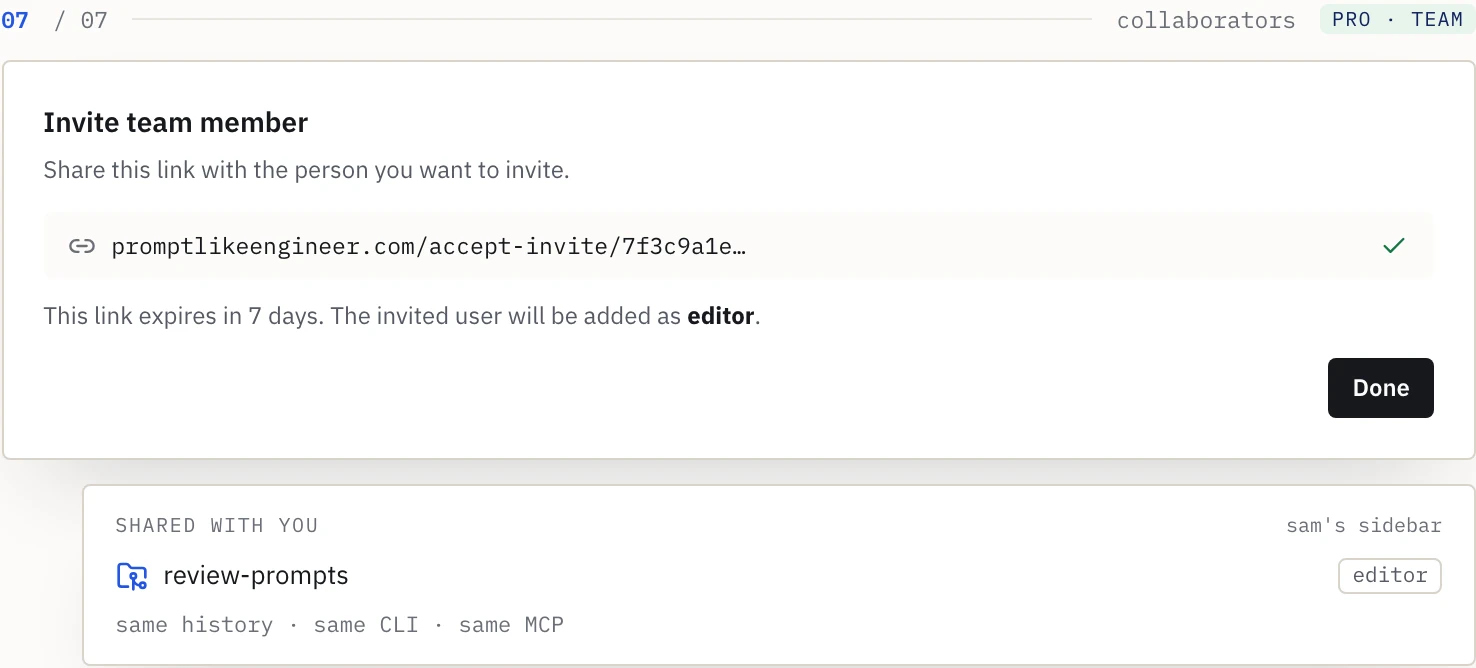
An Invite team member panel with an invite link and the note that it expires in seven days and adds the person as editor, above a Shared with you list.
07 / 07
Share with a team
Invite collaborators with a link that expires in seven days. Access is enforced by row-level security policies in Postgres, so a team sees only what it was given.
The product, section by section
Screens from the live site, then what each part is for. The shipped surfaces today are the web app, the npm CLI and the MCP server.
The problem
Prompts get lost, and nobody can say which version worked
Good prompts end up in notes apps and chat threads. When one edit makes things worse there is nothing to roll back to, and nobody can see what changed between the version that worked and the one that did not.
The solution
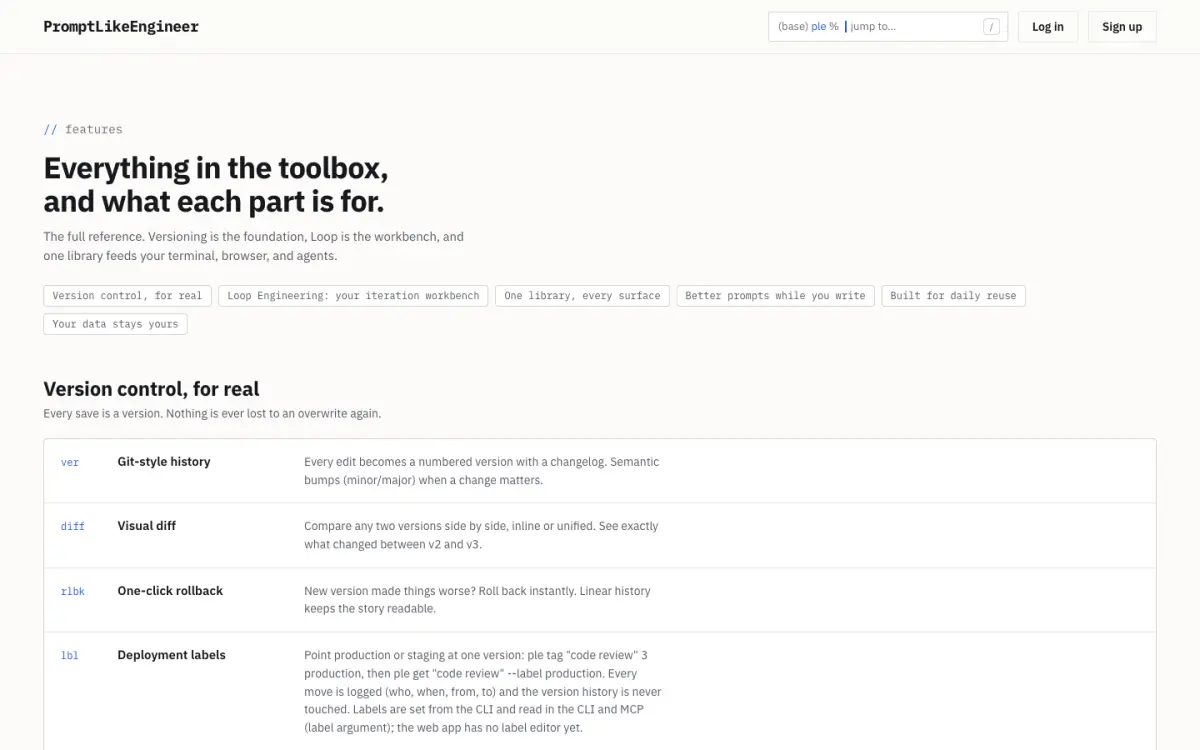
Every save is a version
Prompts get a git-style history: numbered versions with a changelog, a side-by-side diff and one-click rollback. The same library is reachable from the browser, the terminal and the agents you already use.
- Visual diff between any two versions
- Deployment labels point production or staging at one version
- Templates with variables and conditional parts
Highlights
One library for the terminal and for agents
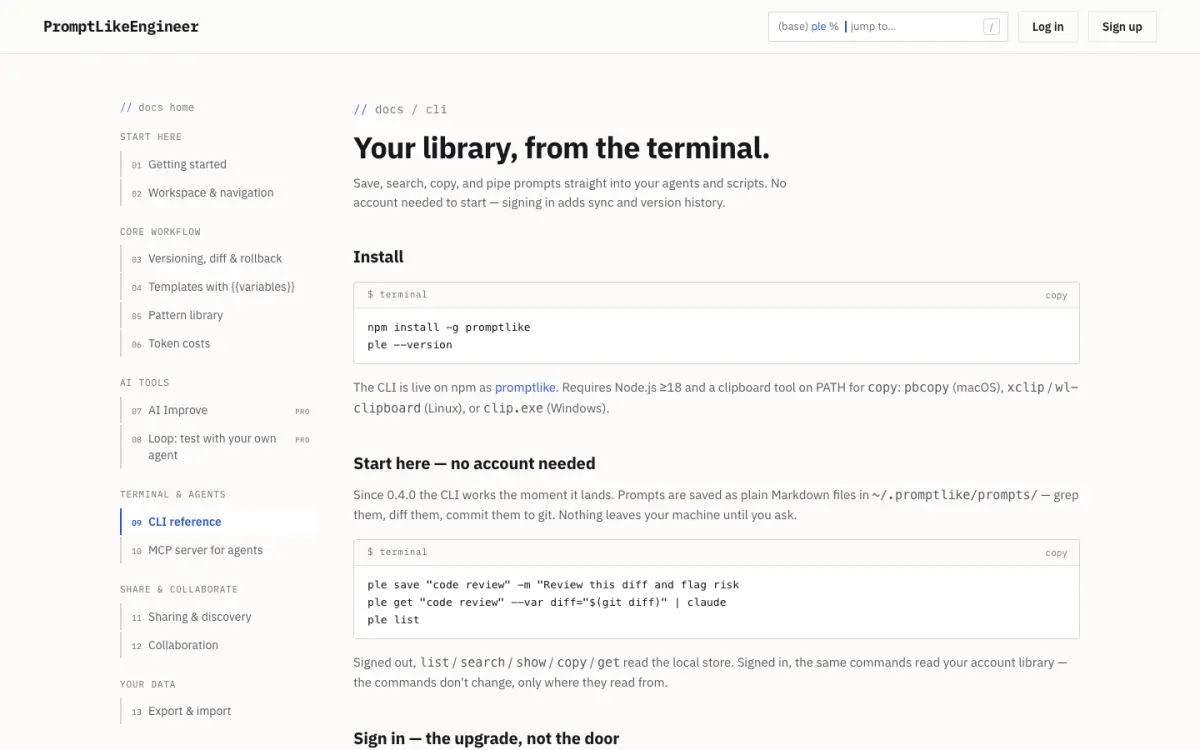
The npm CLI saves, searches and pipes prompts straight into scripts, and works before any account exists. The MCP server lets Claude Code read the current version, fill its variables and save good ones back. Writes only ever add; nothing is deleted.
- The CLI and the MCP server are published on npm
- Prompts live as plain Markdown files locally
- One API contract behind web, CLI and MCP
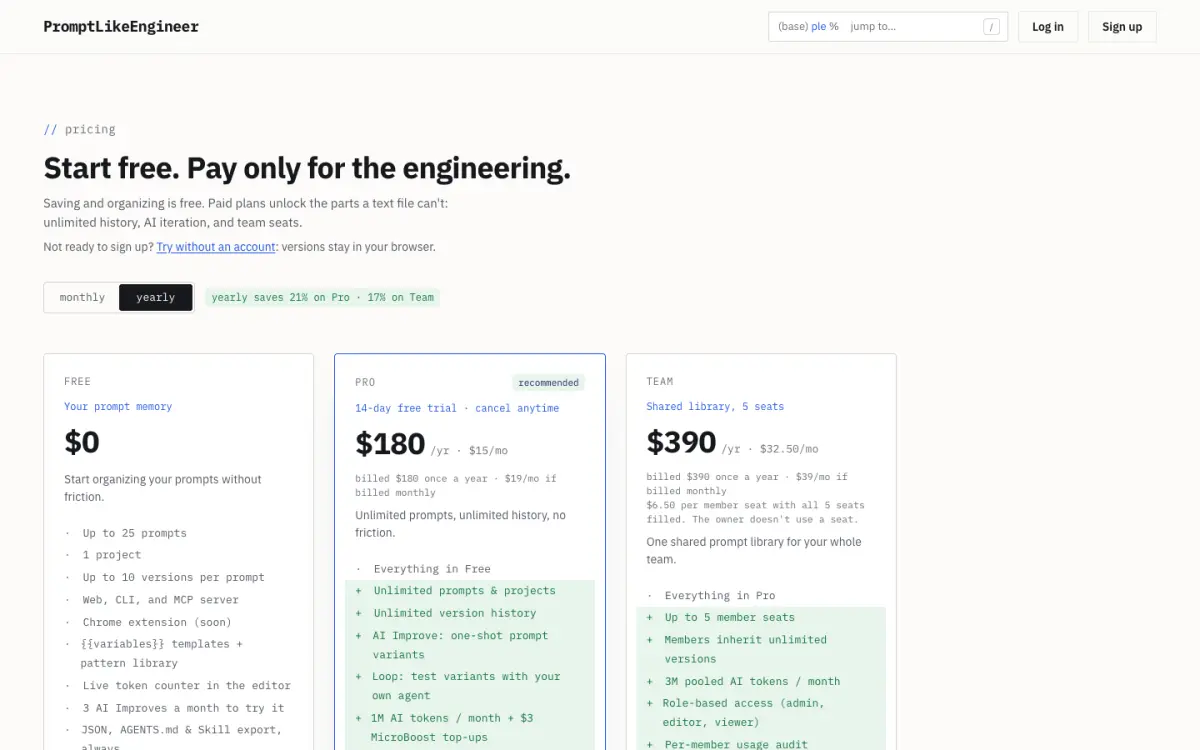
Plans
Free to start, paid for the engineering
The Free plan keeps ten versions per prompt, so the history is usable from day one. Paid plans add unlimited history, AI iteration and team seats with shared libraries.
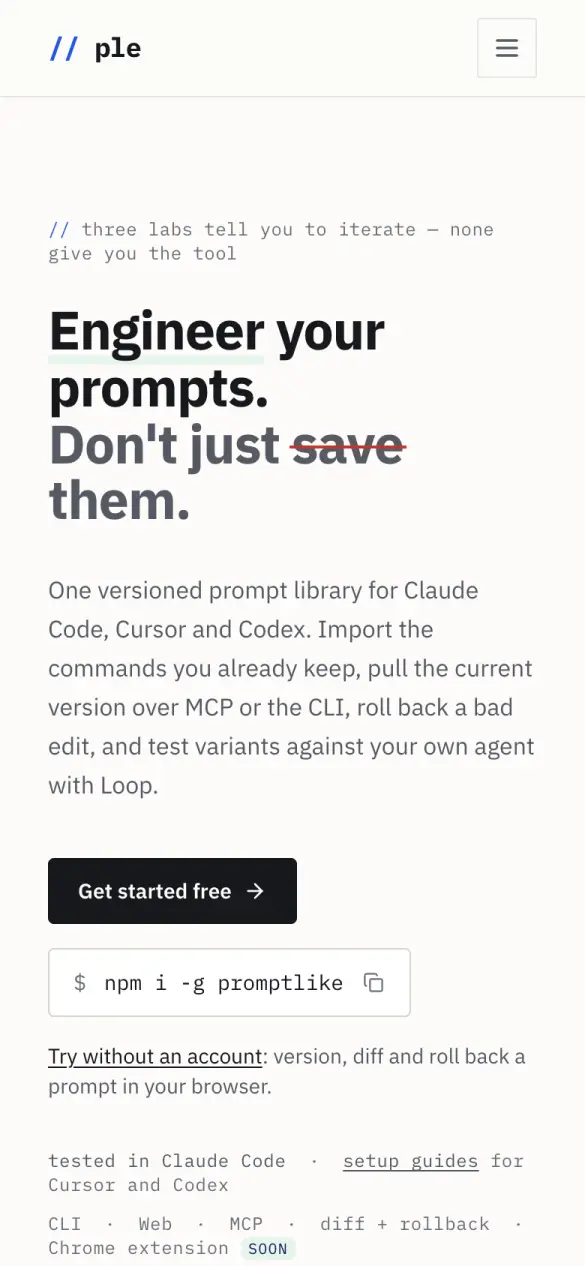
On a phone
Readable at 390 px
The landing page and docs collapse to one column with the same terminal-style type.
Built with
- Next.js
- TypeScript
- PostgreSQL
- Row-level security
- npm CLI
- MCP server
- LemonSqueezy billing
Live
Need something like this?
Send two or three lines: what you have, what is broken or missing, and when you need it. I usually reply within 12 hours, Monday to Saturday.